Step by Step
How to run the client
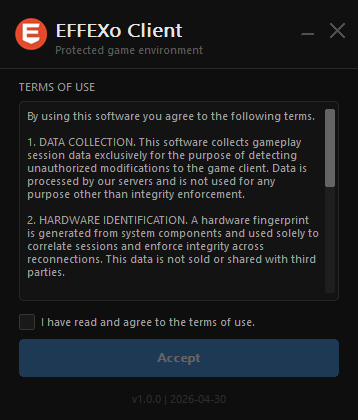
Run the .exe and accept the terms of use
Launch the EFFEXo Client executable and read the terms carefully. Click "Accept" to proceed.
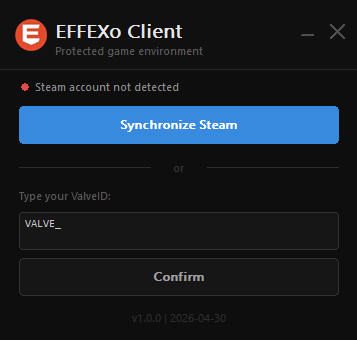
Synchronize your account
Click "Synchronize Steam" or enter your ValveID manually. Your account will be linked to your hardware.
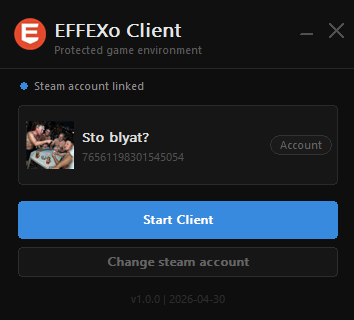
Account synchronized
After synchronization, the client will display your linked account information.
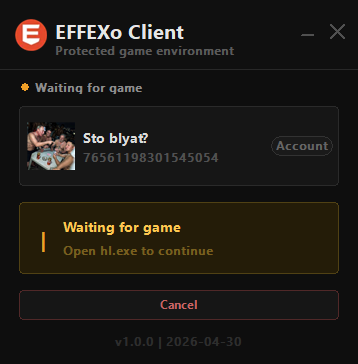
Start the client
Click "Start Client" to activate protection and wait for the game.
Session connected
With the client active, open the game. Protection will be running and session time will be displayed.
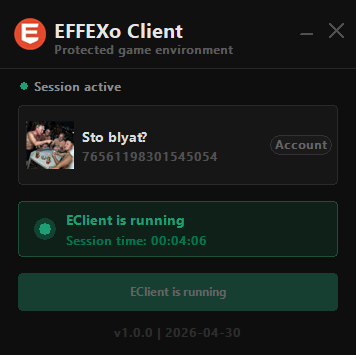
Keep the client open while playing. Monitoring is continuous and ensures match integrity.
Admin commands
eclient_menu
Opens the list of online and disconnected players for management.
eclient_screenshot
Take a screenshot of the player's screen if there is suspicion of wallhack and/or other cheaters.
eclient_ban_player
Ban the player's PC (HWID ban). You can choose the ban duration.
eclient_unban_player
Remove the player's ban, allowing them to access protected servers again.
Usage tip
Use eclient_screenshot before banning to gather evidence. The screenshot
link will be available for 24 hours.